GTA 6 is playable in first-person, here's how to activate it
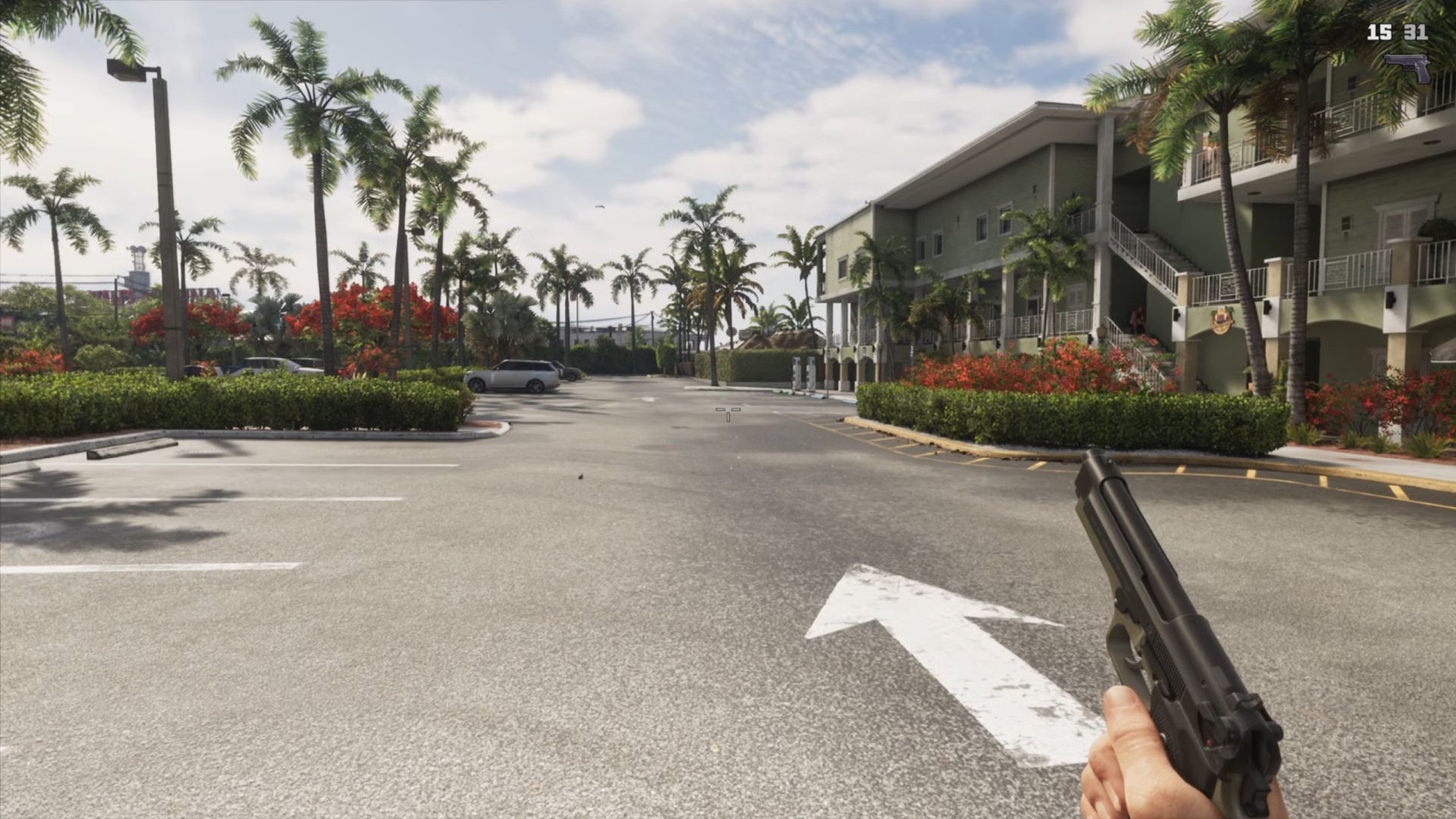
Add us as a preferred source on Google Newsletter Subscribe to our newsletter While you can switch to first-person temporarily in Grand Theft Auto 6 when you want to get a real good close-up of a texture, you're locked in place and can't run around doing crimes and having fun like you could when GTA 5 got its first-person mode. Except actually you can, as discovered by players on Reddit and tested by our own Morgan Park.
It's easy enough to activate in-game. Go to the controller settings, then under the Controller Features section change your view button to Camera 2 / 2. Get into a car, bring up your phone with the D-pad, press Circle or B then quickly hit Select. There you go, first-person GTA 6.
As Morgan's footage shows, it's completely playable. It doesn't look 100% done, however, with your shoulders clipping through the camera when you've got a longarm gun up. Seeing someone break into a car in first-person also looks a bit rough around the edges. While conspiracy theorists have convinced themselves that Rockstar is holding back this feature to sell it as DLC, I figure they're probably still polishing it to add in a future update.
If you want to leave first-person, you'll have to reload a save. It doesn't have to be an old save, though. If you save in first-person then immediately load the same save you'll be back in third-person and have to return to God's own preferred viewpoint.
GTA 6 guide : One-stop info shop GTA 6 map : The full Vice City tour GTA 6 cheats : A complete list GTA 6 radio : All the songs and stations GTA 6 romance : How to keep a strong bond
GTA 6 guide: One-stop info shop GTA 6 map : The full Vice City tour GTA 6 cheats: A complete list GTA 6 radio: All the songs and stations GTA 6 romance: How to keep a strong bond
Keep up to date with the most important stories and the best deals, as picked by the PC Gamer team.
This guide only covers confirmed information. Unconfirmed community findings are labelled as speculation where they appear.