How to Claim the Vintage Vice City Pack in GTA 6
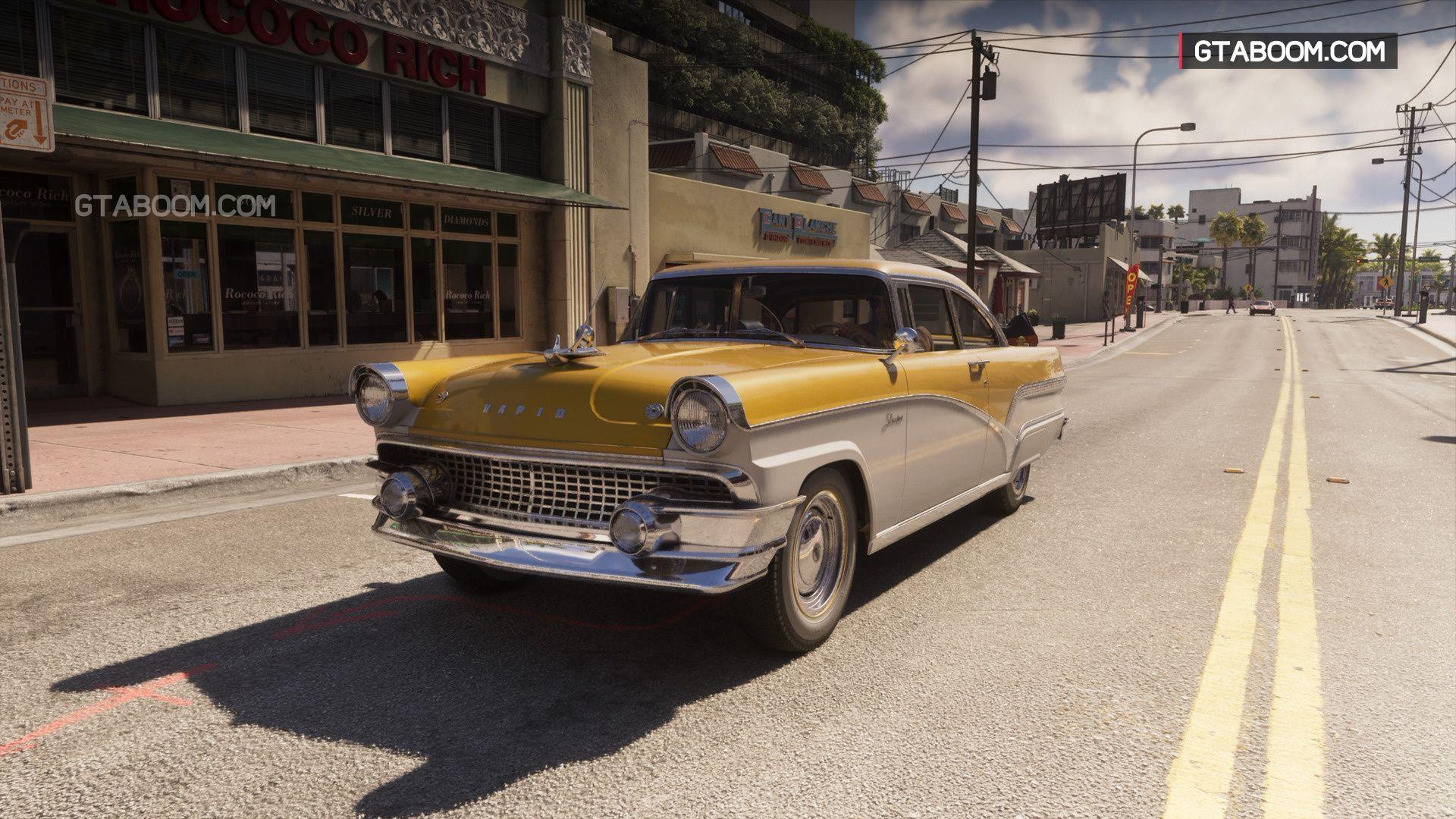
The Vintage Vice City Pack gives GTA 6 's Story Mode a throwback to the original Vice City : retro outfits and hairstyles for Jason and Lucia, and a weapon wrap inspired by Tommy Vercetti's palm-print shirt. The big draw is a yellow-and-white ’55 Vapid Stanier with its own garage in Ocean Beach, both yours to claim in Chapter 3.
You might already own it. Rockstar included the pack with digital purchases of either edition before November 20, 2026. Qualifying boxed pre-orders came with a download code for both the game and the pack. If you bought the game later, even the Ultimate Edition, the pack wasn't automatically included. Check which add-ons you own on the account you play on before buying it separately from your console store.
Owning the pack doesn't put the car in your garage right away. Pick it up near Ocean View Hotel. Getting into the Stanier registers it to you and adds Shore Court Garage to your map without a trip to Moses.
Collect the ’55 Vapid Stanier near Ocean View Hotel
After Welcome to Vice City, open the map and go to Exploration. Select Collect Your ’55 Vapid Stanier, then follow the marker to Ocean View Hotel in Ocean Beach. Look for the yellow-and-white sedan in the roadside parking bays. Get in to claim it.
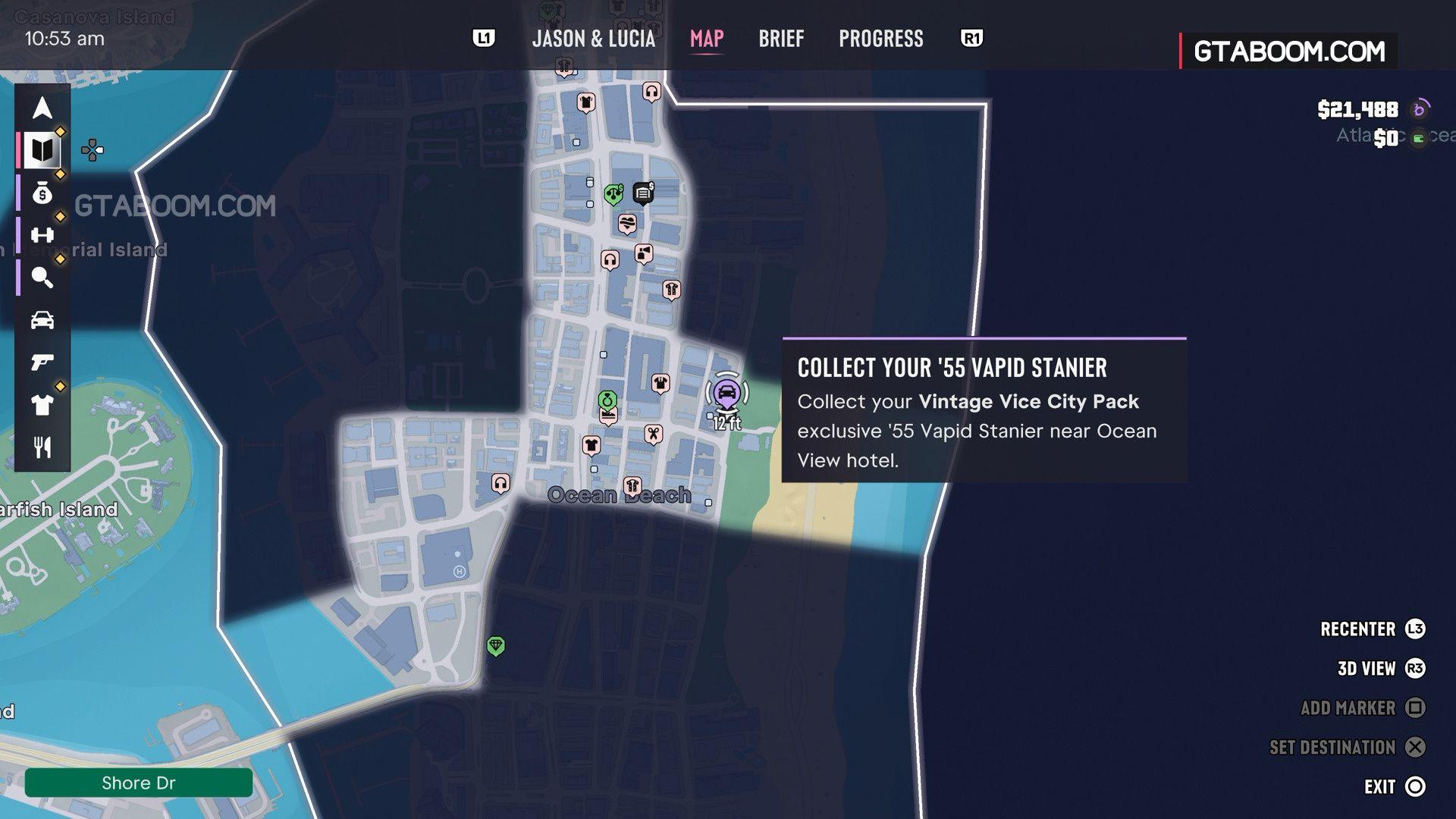
Zoom image: The Chapter 3 map shows a purple car marker and directs the player to Ocean View Hotel. Look for Collect Your ’55 Vapid Stanier near Ocean View Hotel. Find Shore Court Garage Once you’ve claimed the car, follow the teal Shore Court Garage marker in Ocean Beach. Its entrance is a roll-up door in the alley. You can park the Stanier there, and the garage has a locker where you can manage your weapons.
Zoom image: The Stanier sits in an alley beside the closed garage door with the teal garage icon. The teal garage icon marks the roll-up door in the alley. Apply The OG wrap at Ammu-Nation At Ammu-Nation, select a compatible gun you already own and choose Modify. Go to Cosmetics, then Wraps, and open the Bonus tab. Pick The OG, the blue palm-print wrap inspired by Tommy Vercetti’s shirt. It’s marked Free with the pack. We found it on the Klose K17, Girardi ES9 and Duke 556. If you don’t see Modify, check that you own the gun.
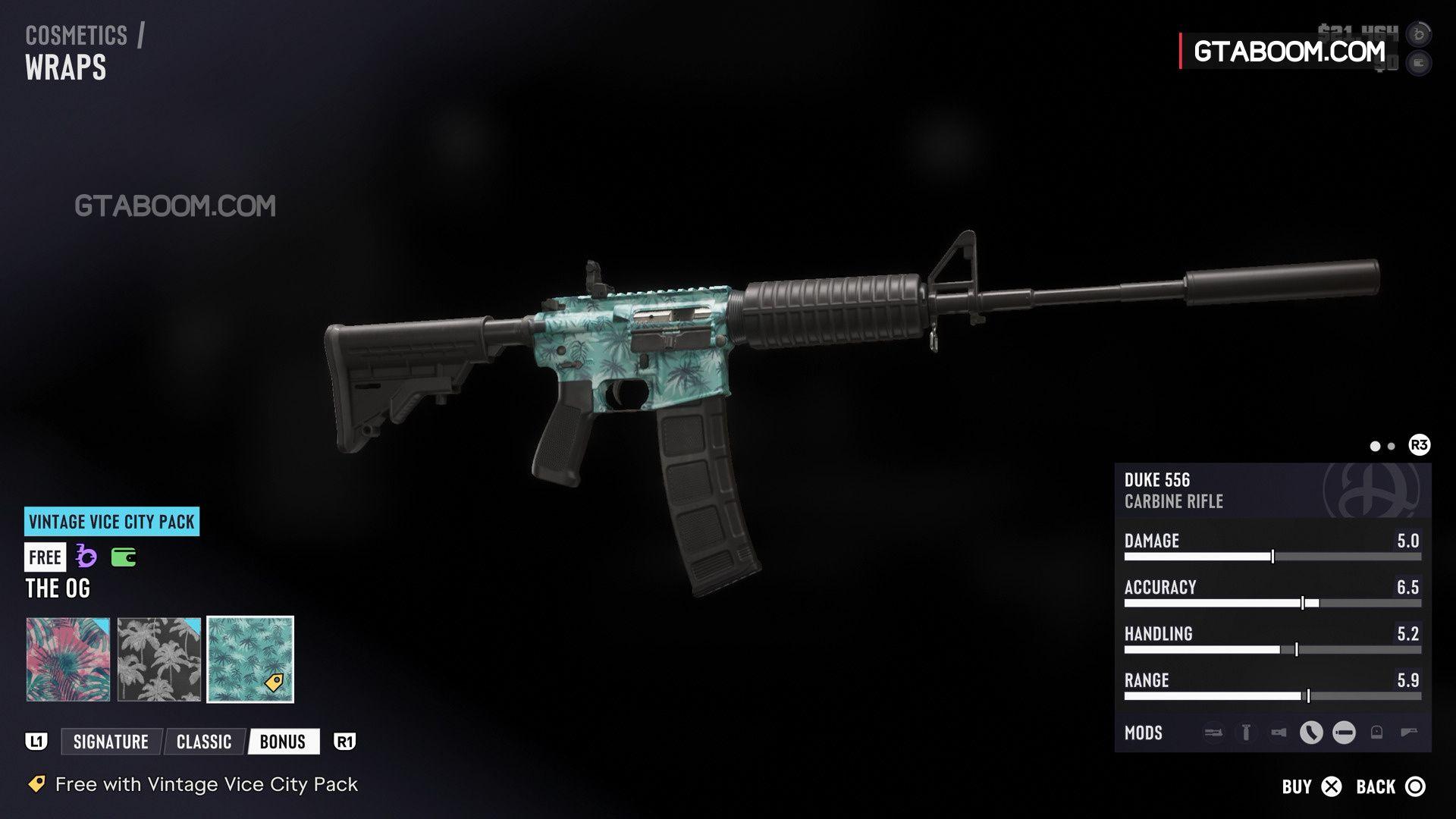
Zoom image: The Bonus tab in the Wraps menu shows The OG on the Duke 556. The OG is the blue palm-print option under Bonus. Find the bonus hair and makeup at Gabriel Wexler For Jason, choose Hairstyle at Gabriel Wexler and open the Special tab. Look for Layered Flow.
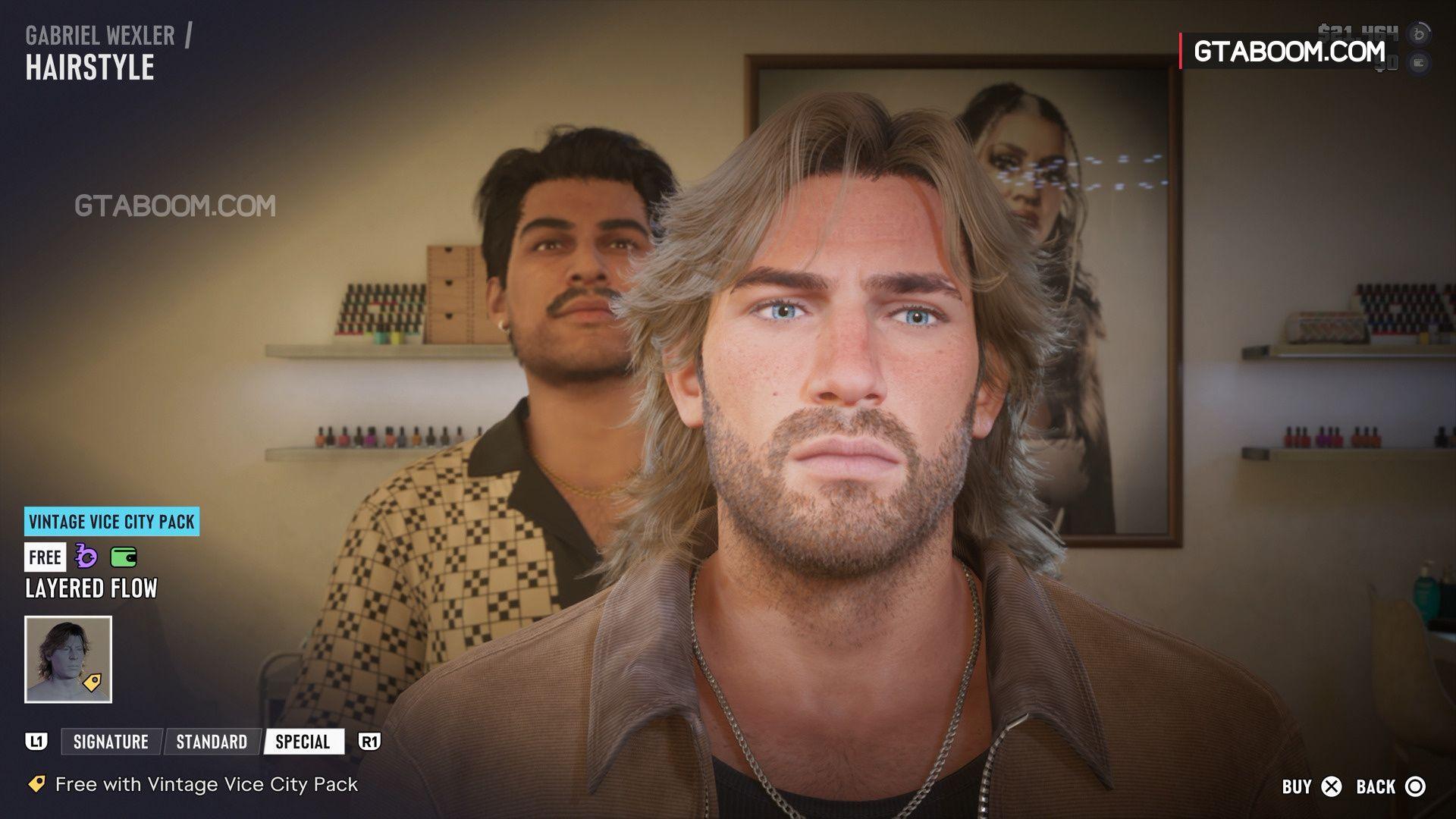
Zoom image: Gabriel Wexler previews the Layered Flow cut on Jason. Jason’s Layered Flow haircut is under Special. For Lucia, choose Hairstyle and look for Voluminous Curly Lob under Special. For her 80s Soft Smoky Glam look, switch to Makeup and open Special again. Both are marked Free with the pack.
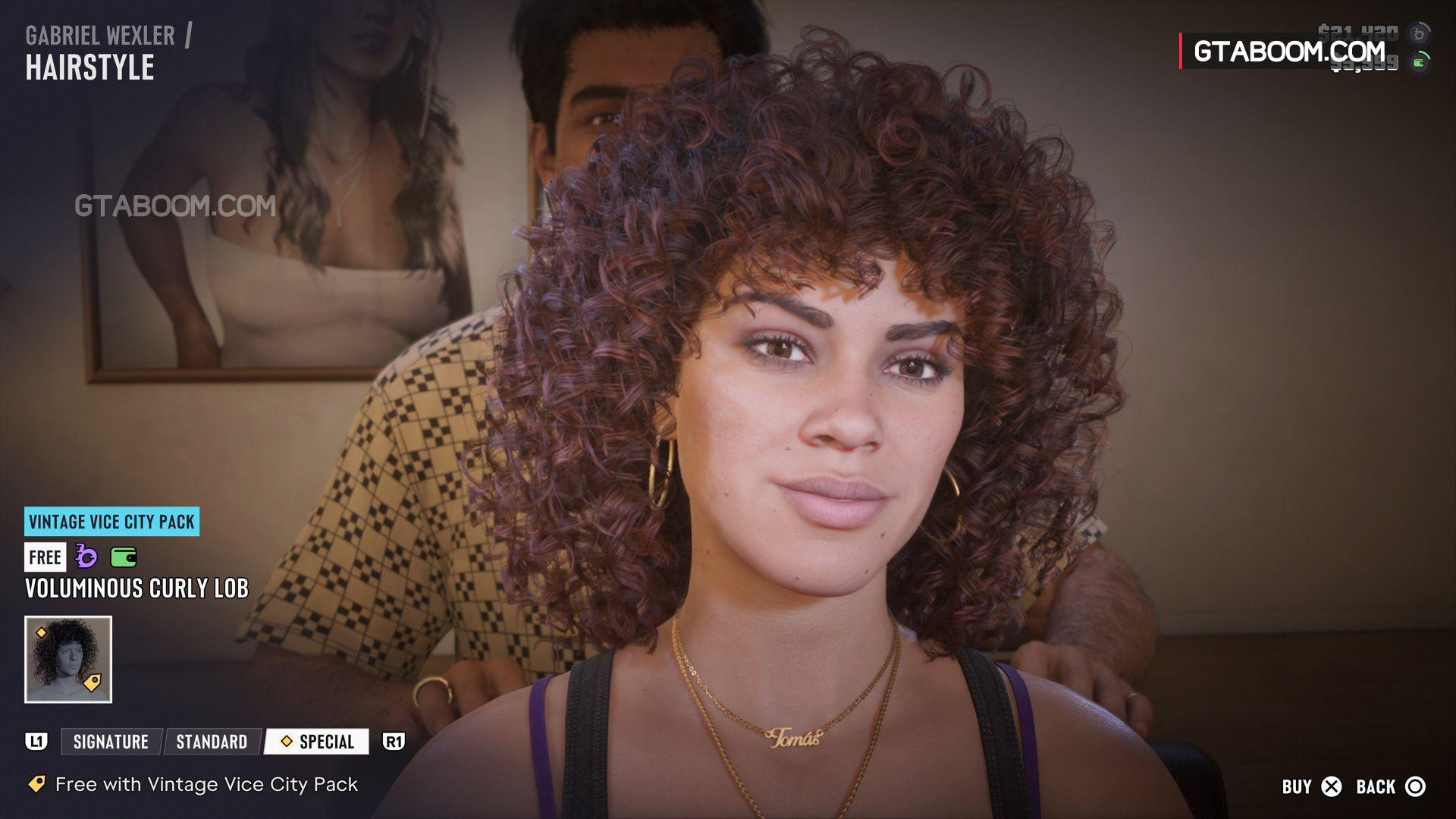
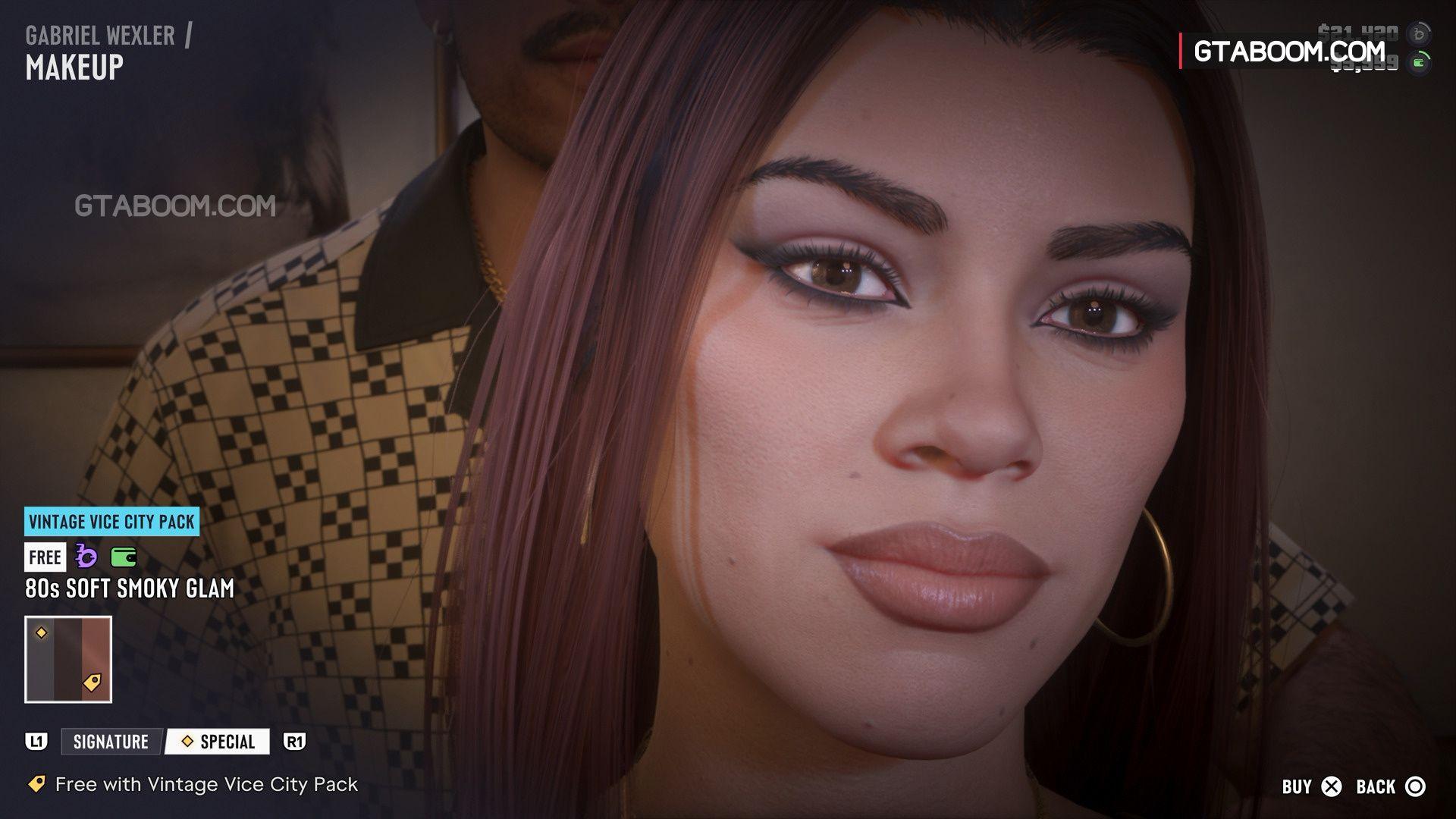
Zoom image: The Special hairstyle tab shows the Voluminous Curly Lob on Lucia. Lucia’s pack hairstyle is Voluminous Curly Lob. Zoom image: The Special makeup tab shows 80s Soft Smoky Glam on Lucia. Switch to Makeup for Lucia’s 80s Soft Smoky Glam look. Equip the outfits at home Switch to the character you want to dress and open the Outfits tab in the home wardrobe. For Jason, choose Pastel Linen Suit & Slip-Ons.
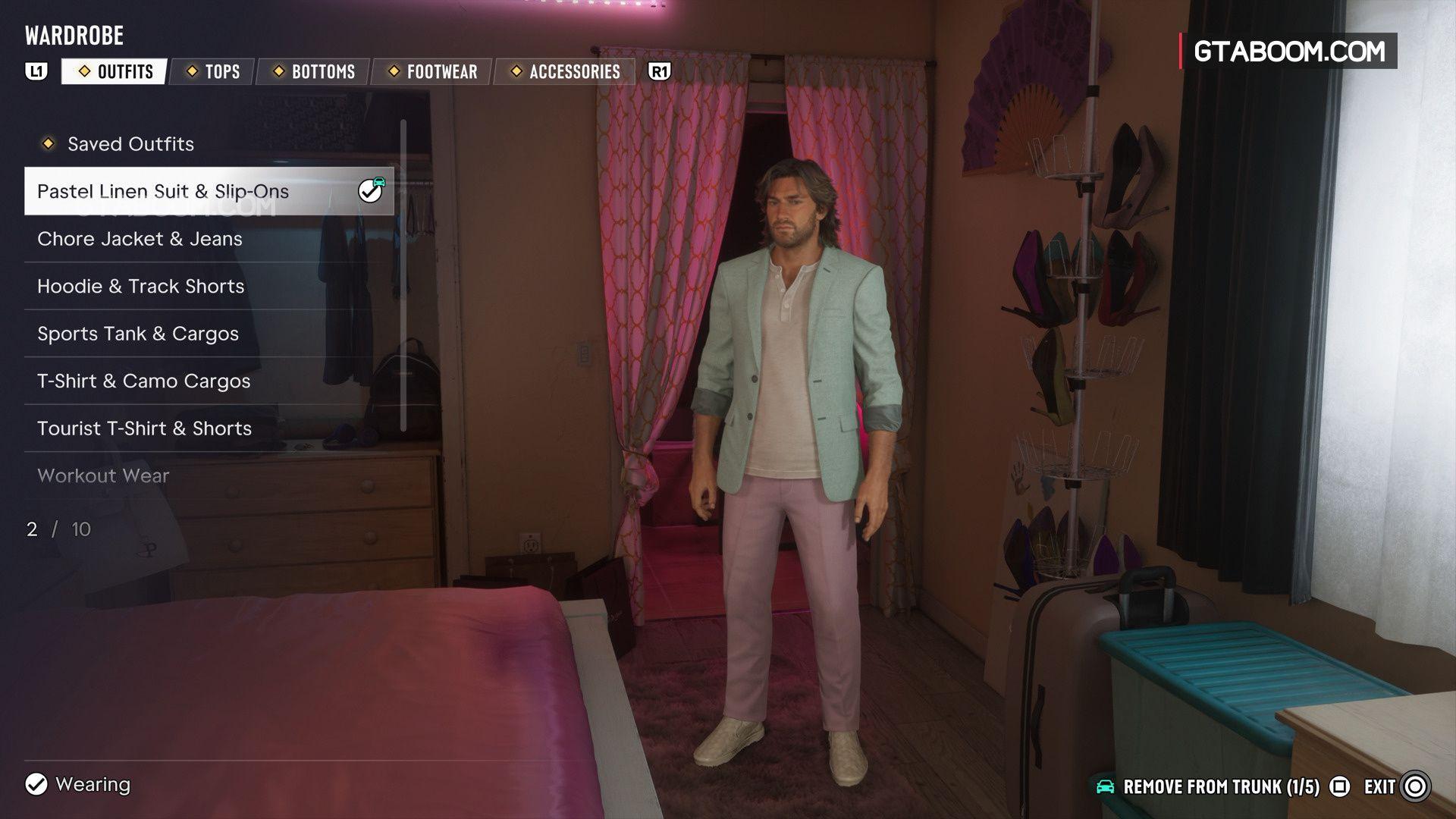
Zoom image: Jason wears the pastel suit and slip-ons in the Wardrobe menu. Equip the Pastel Linen Suit & Slip-Ons from Jason’s wardrobe. For Lucia, choose Sequin Mini Dress & Stilettos. You don’t need to look for either outfit at a clothing store.
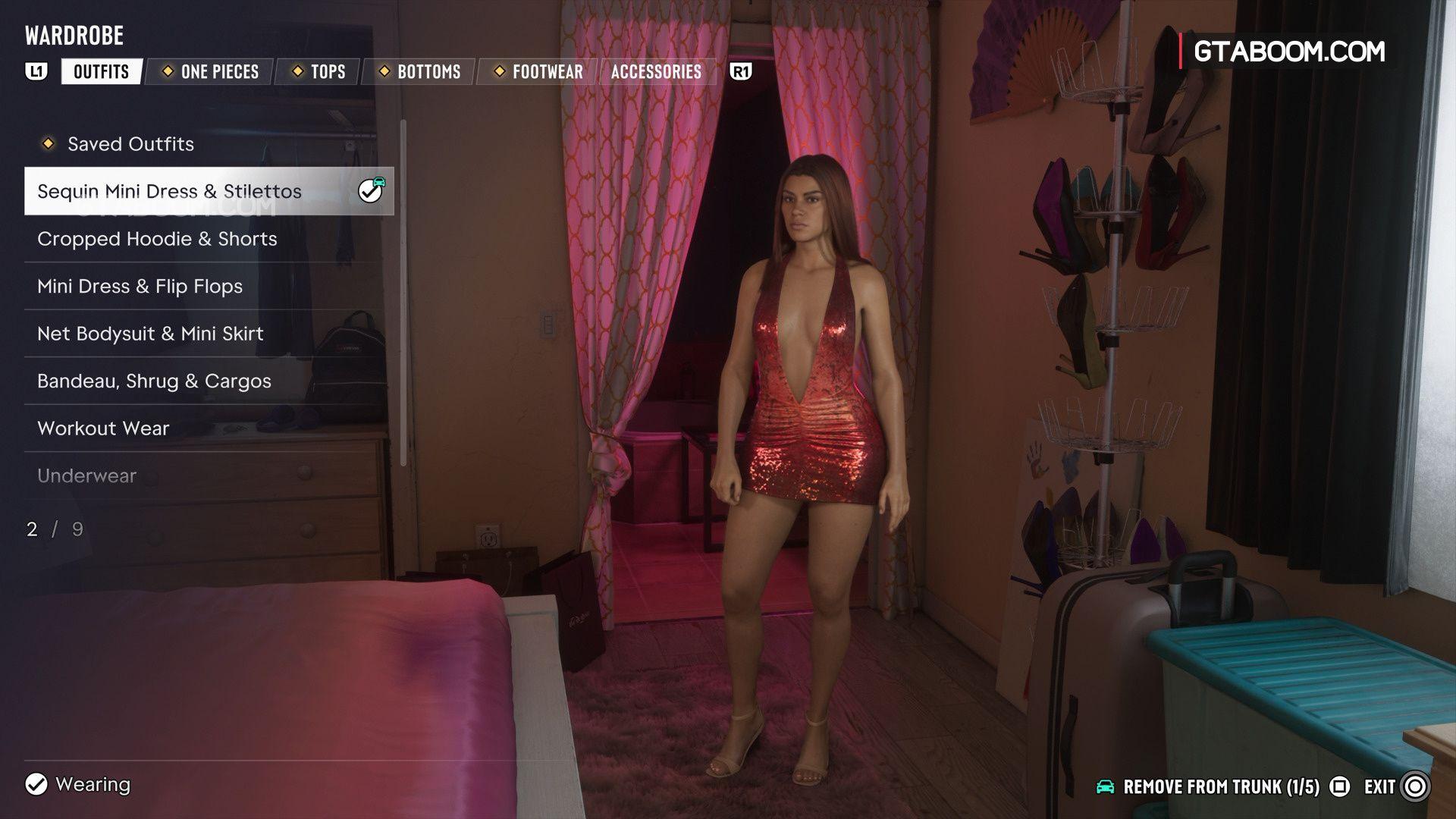
Zoom image: Lucia wears the red sequin dress and stilettos in the Wardrobe menu. Lucia’s red sequin dress and stilettos are under Outfits. What to check if the car marker is missing Check that you’ve finished Welcome to Vice City and that your account has the Vintage Vice City Pack. The pack came with qualifying early purchases of either edition; it isn’t the same thing as the Ultimate Edition Upgrade. If you missed the early offer, look for the pack by name in your console store.
This guide only covers confirmed information. Unconfirmed community findings are labelled as speculation where they appear.