How to Save in GTA 6
Knowing how to save your game in Grand Theft Auto 6 is essential before exploring the massive state of Leonida. While the game uses a reliable autosave feature that triggers after completing missions or open-world events, relying purely on automatic checkpoints is a quick way to lose a rare vehicle or get locked into a bad narrative choice. So, here's how to manually save in GTA 6 .
If you want to fly around in a military fighter jet, then you're going to need to know where they spawn.
How to Save in GTA 6
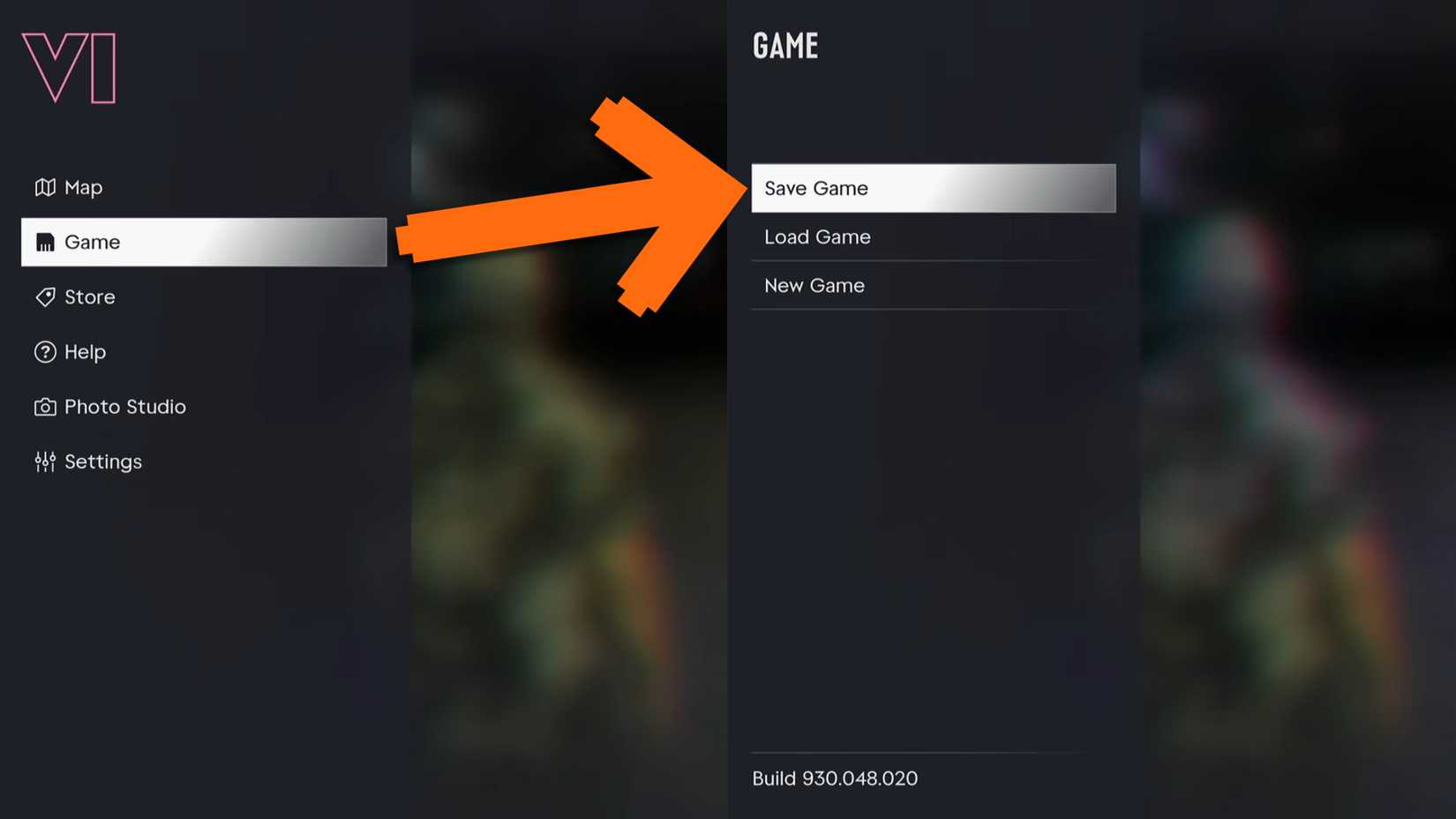
Players won't be able to manually save in GTA 6 throughout the prologue. You'll need to rely on the nifty auto-save until you complete the opening sequence and arrive at Jason's house at the marina, which is usually after completing the first job for Brian. Once you're here, you can manually save by hitting the "Start" button, going into the "Game" option, and selecting the "Save Game" option .
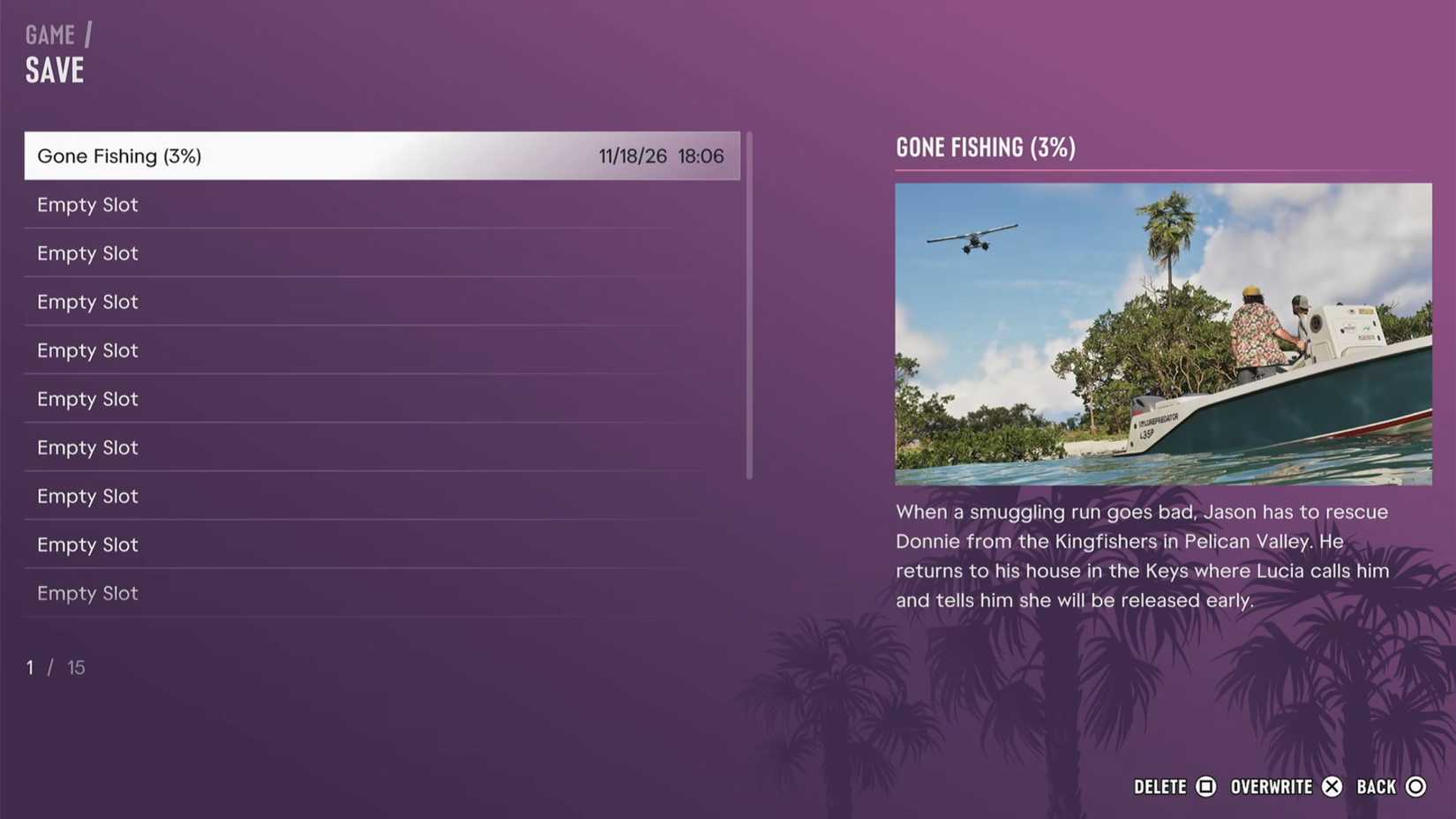
You'll have a total of 15 manual save slots in GTA 6 , and you can create a new save in any of the empty slots. When you later need to save the game, you can either simply overwrite the current save file, or simply use the other 14 slots if you so need.
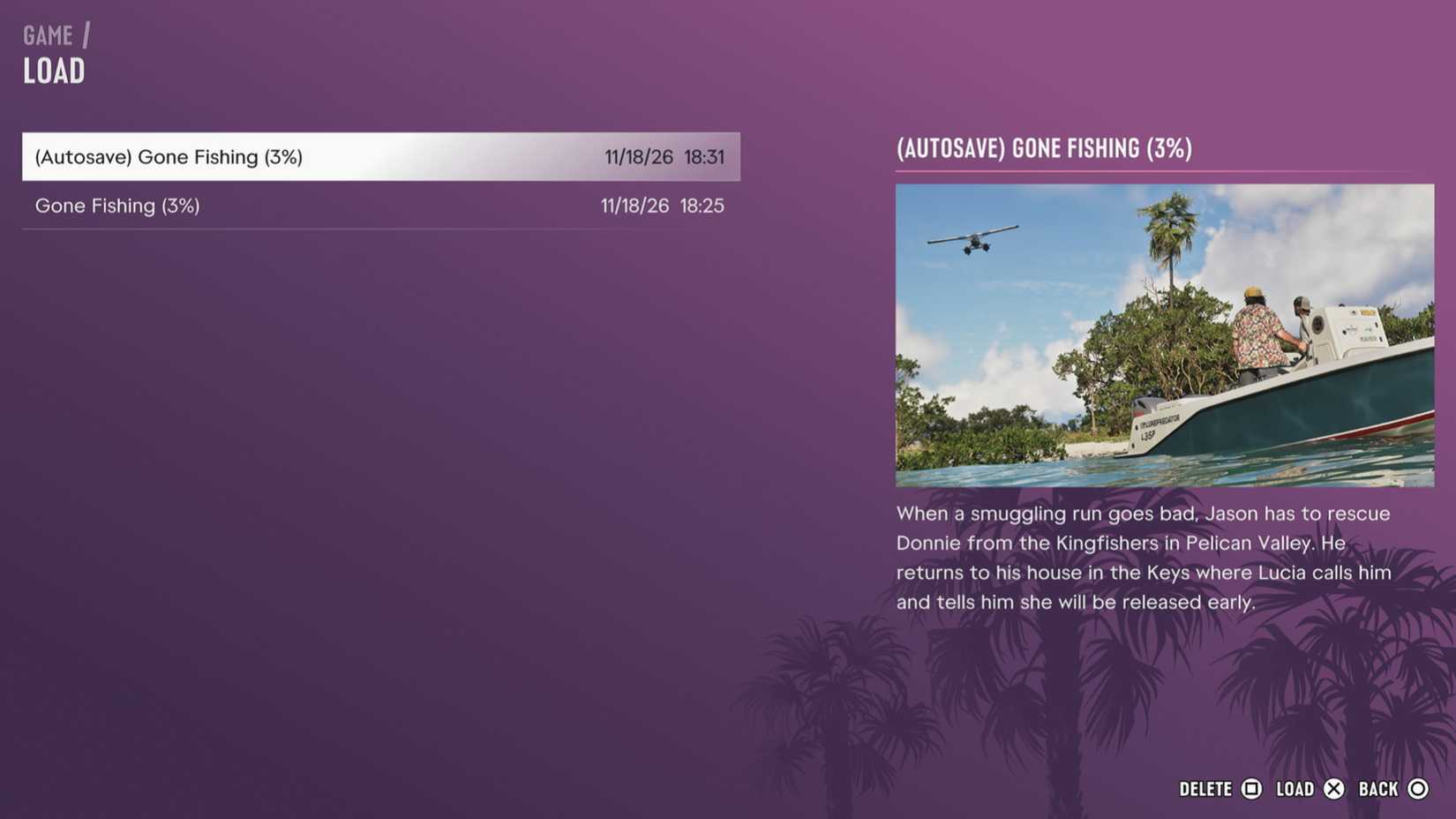
You'll need to follow a similar method if you want to load a game in GTA 6 . Simply head to the "Game" menu and go to the "Load Game" option. From here, you'll have an option to select either the autosave file or your manual save . Just click Load on whichever instance you want to load, and you're in.
Looking to cheese the game? Check out this GTA 6 Cheats guide to learn how to unlock them.
This guide only covers confirmed information. Unconfirmed community findings are labelled as speculation where they appear.