How to Store Outfits in Your Car in GTA 6

GTA 6 allows players to store multiple pre-selected outfits in their personal vehicle’s trunk, making it possible to change their appearance while on the move. This comes in extremely handy when trying to outwit the cops if they’re chasing you.
If a witness sees you in a certain outfit committing a crime and reports you, changing how you look means the police won’t recognize you even if you walk right up to them. Add a bandana and a pair of glasses, and get rid of your guns, and you’ll be practically invisible. Here’s how this works.
How to Store Outfits in Your Vehicle in GTA 6
In GTA 6 , you can store outfits in a car trunk by interacting with any Wardrobe, saving the outfit (or choosing a pre-saved outfit), and selecting “Add to Trunk.”
Find a Wardrobe
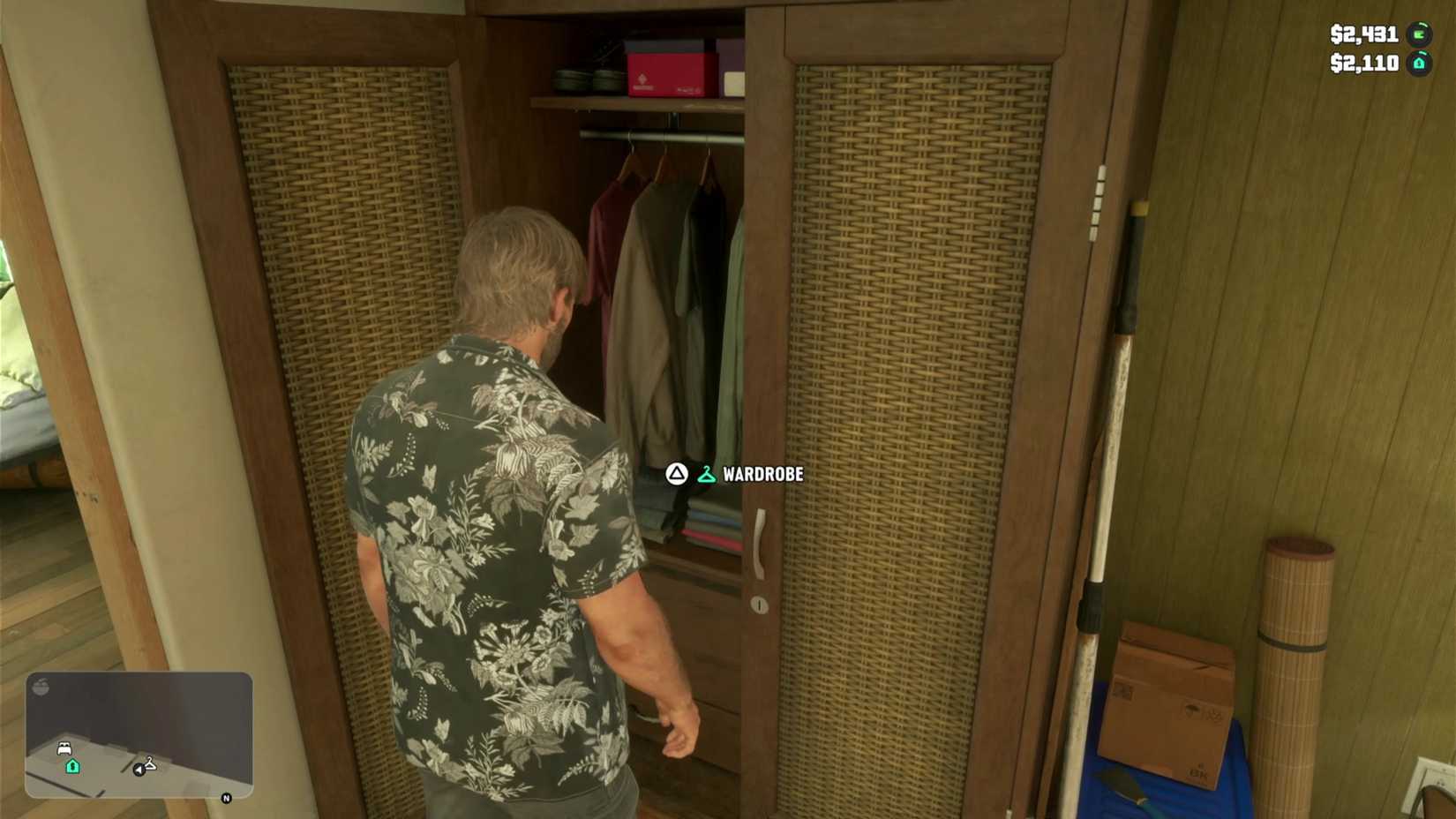
Image via GameRant; Source: Rockstar Games Wardrobes are outfit-changing stations that can be found at your residence or at any clothing shop . Your base of operations changes from chapter to chapter, and depending on where you are in the story, your safehouse will be different, like Jason House in Chapter 1 and the Starlet Motel in Chapter 2.
Regardless, every house has a Wardrobe. To find it, open the map while inside your house, and look for the hanger icon.
Select an Outfit
In the Wardrobe menu, you’ll be able to see two types of outfits: Saved Outfits and presets . Saved Outfits are outfit combinations you’ve manually saved for your character, whereas presets are outfits the game creates automatically from the clothes that you own. Both can be stored in a car trunk.
Add to Trunk
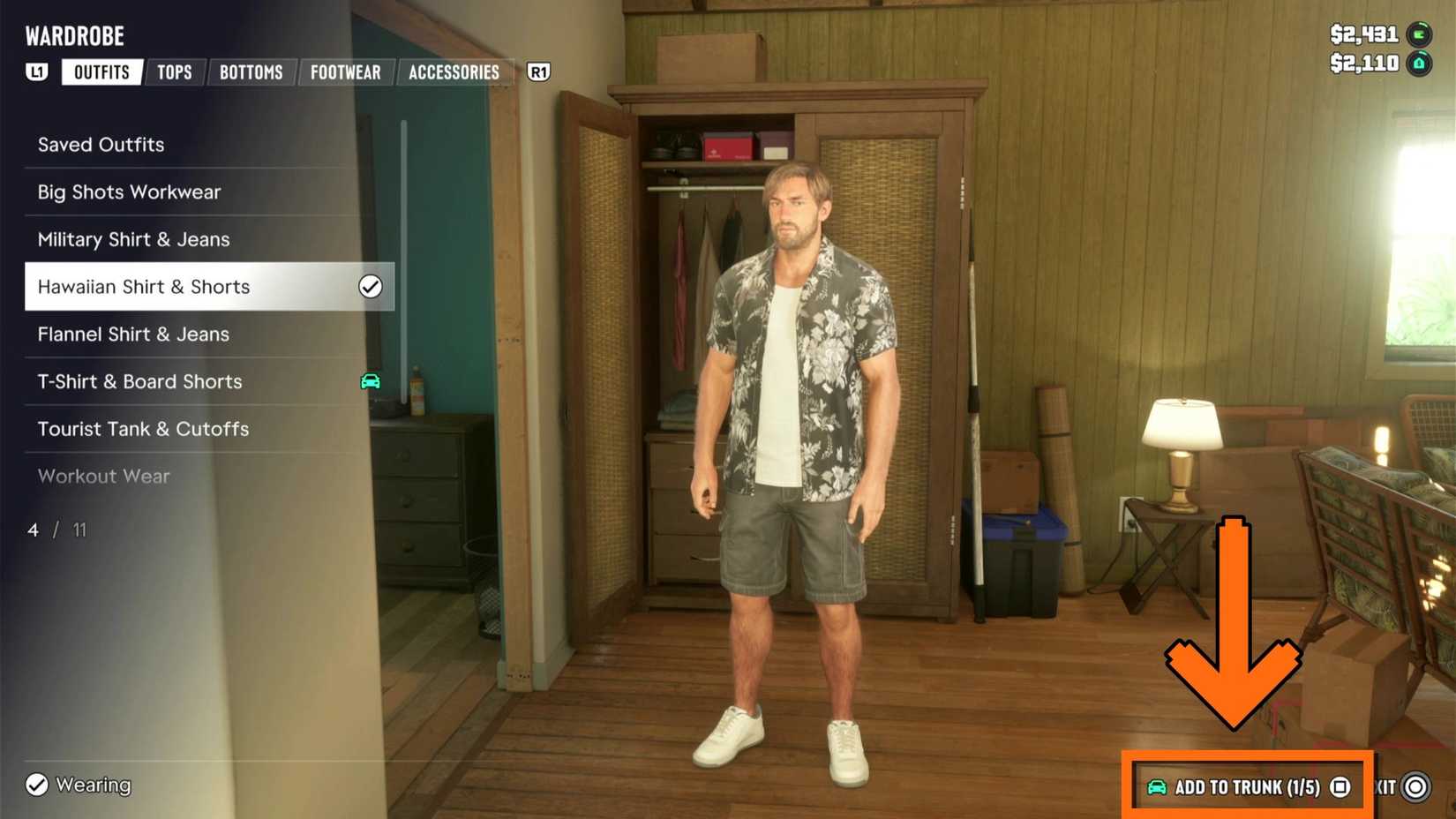
Image via GameRant; Source: Rockstar Games Once you’ve chosen the outfit you want to store, select it in the Wardrobe menu, and choose “Add to Trunk” by pressing Square/X. You can select 5 outfits to store at a time.
Remove Stored Outfits
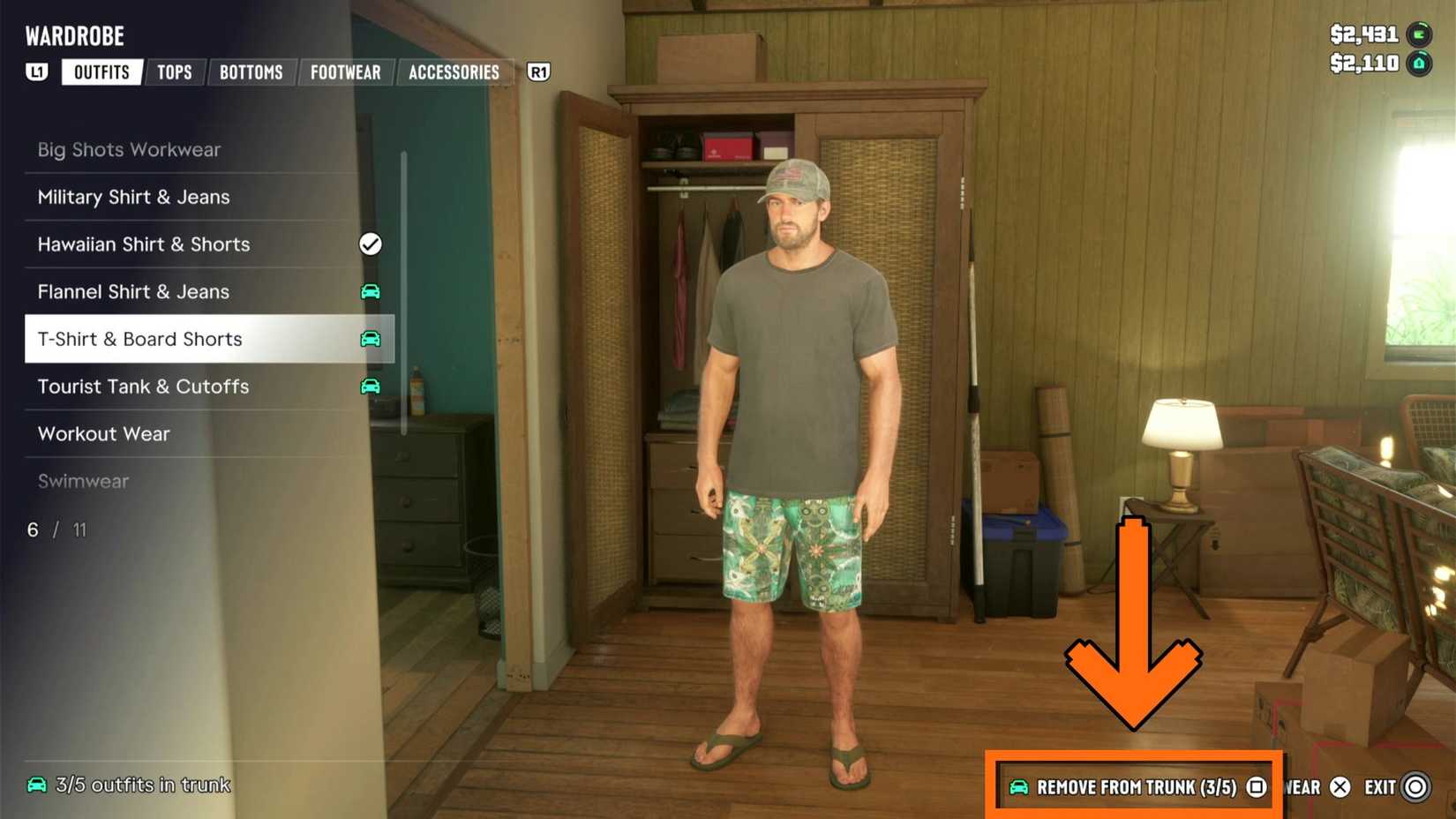
Image via GameRant; Source: Rockstar Games Interact with a Wardrobe, navigate to the outfit, and press Square/X to choose the “Remove from Trunk” option.
How to Change Into Stored Outfits in GTA 6
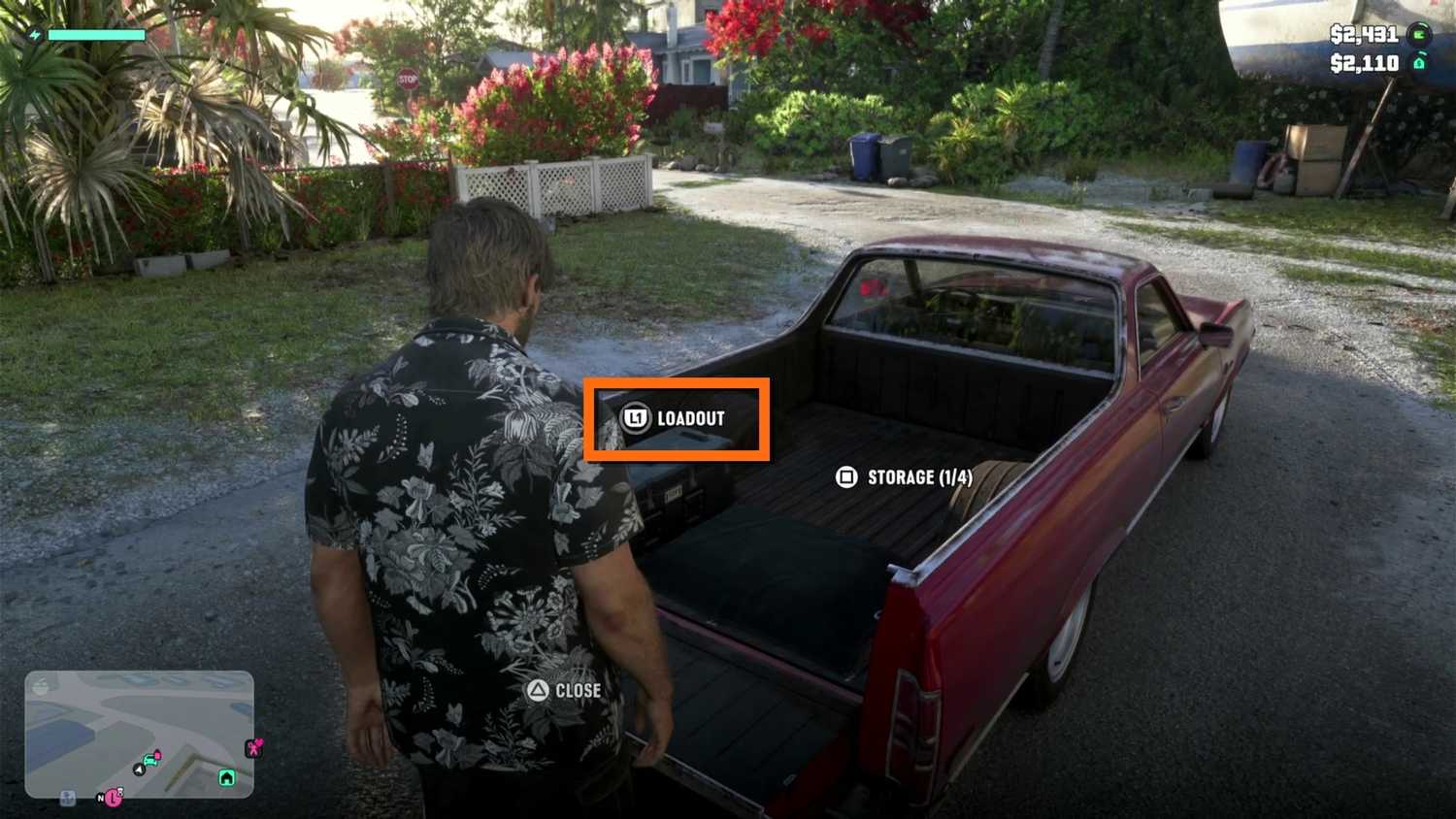
Image via GameRant; Source: Rockstar Games
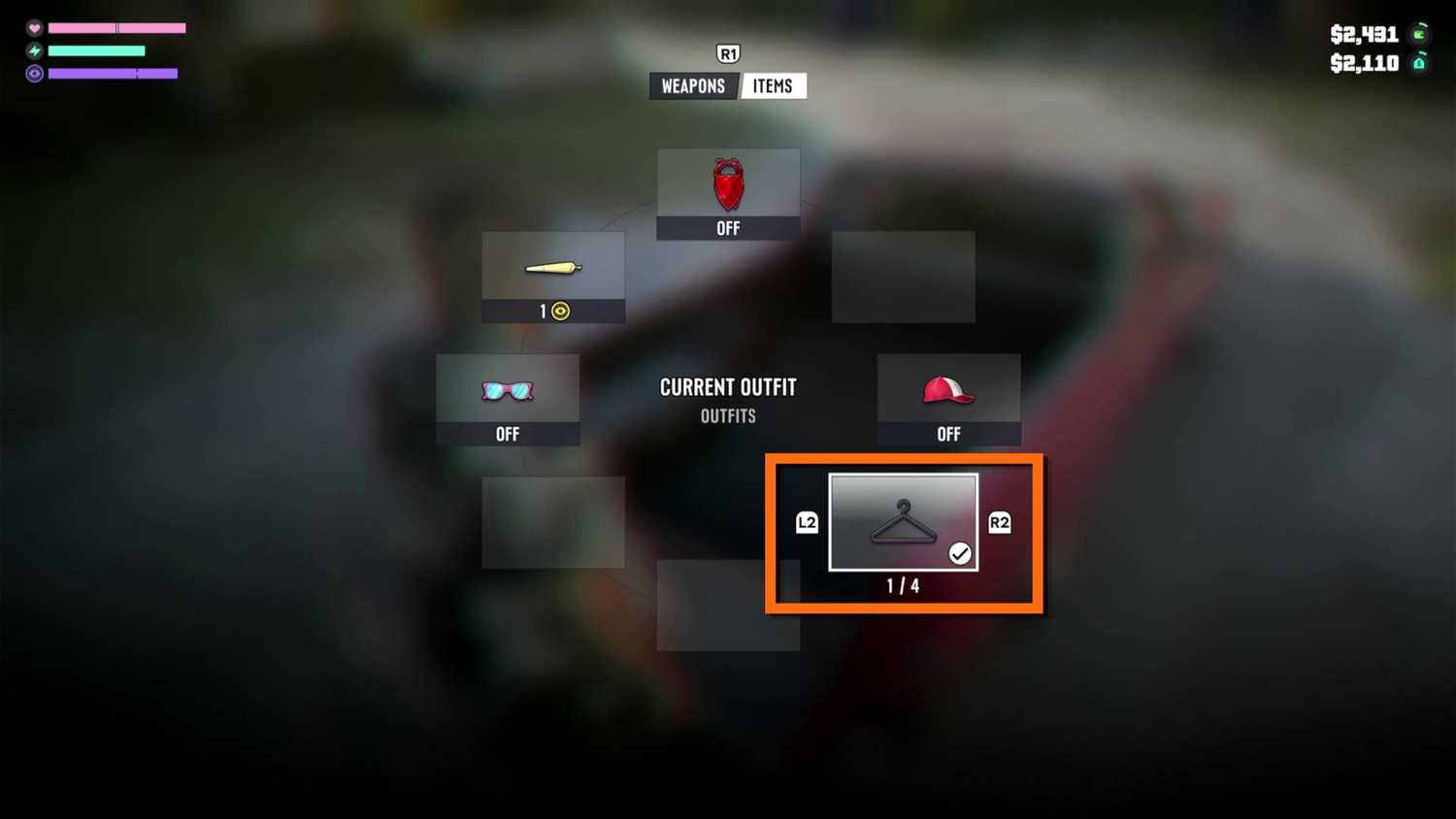
Summon your car to your location and interact with its trunk.
Press L1/LT to open your Loadout and swap over to the Items tab using R1/RT.
Use Right Stick to select the bottom-left slot titled “Outfits.”
Use R2/RB to choose which outfit you want to change into, and press X/A to confirm.
Only vehicles with trunks can be used to access stored outfits. A dirt bike, for instance, won’t work.
Not getting caught when committing crimes is critical in GTA 6. Here's how to hide your identity to lower your wanted level fast.
This guide only covers confirmed information. Unconfirmed community findings are labelled as speculation where they appear.